The Reprocess feature allows users to reprocess documents directly within the application. Reprocessing is beneficial when users make changes to configuration or document settings that impact how documents are processed & validated
When is Reprocess Beneficial?
Reprocess is beneficial when any of the following settings or configurations are updated
1. Administration Level
- Intercompany transaction settings updated
Updated administration or intercompany configuration will get applied to the document after it get reprocessed successfully
- Document routing rules updated (For Twinfield and Exact online )
Updated routing workflow rules will get applied to the document after it get reprocessed successfully
- Admin sync changes applied
Updated changes such as payment type, payment conditions, or admin periods will get applied to the document after it get reprocessed successfully
- Admin-level settings updated (header/line description)
Updated header or line description settings will get applied to the document after it get reprocessed successfully
2. Contact Level
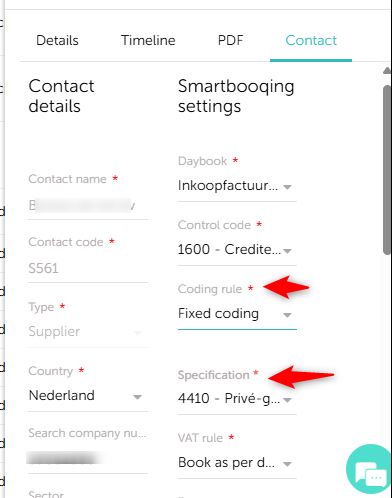
- Coding rule updated for a relation
Updated coding rule will get applied to the document after it get reprocessed successfully
- VAT rule override added or modified
Updated VAT rule (e.g., No VAT ↔ Book as per document) will get applied to the document after it get reprocessed successfully
- Country type updated (e.g., NL → EU/Belgium)
Updated country type will get applied to the document after it get reprocessed successfully
- Auto export settings updated
Updated export configuration will get applied to the document after it get reprocessed successfully
- Period booking rule created or updated
Updated booking period will get applied to the document after it get reprocessed successfully
3. Document / Processing Level
- Coding keywords (specific/summary) added or modified
Updated or newly added keyword rules will get applied to the document after it get reprocessed successfully
- Document type reclassified (e.g., Miscellaneous → Purchase/Sale, Book Always)
Document will get reprocessed/booked according to the selected type and configuration.
- Dimension rules added or updated (cost code, project code, etc.)
Updated dimension data will get applied to the document after it get reprocessed successfully
- Investment rule added or updated
Updated investment-related rule will get applied to the document after it get reprocessed successfully
How to Reprocess a Documents:
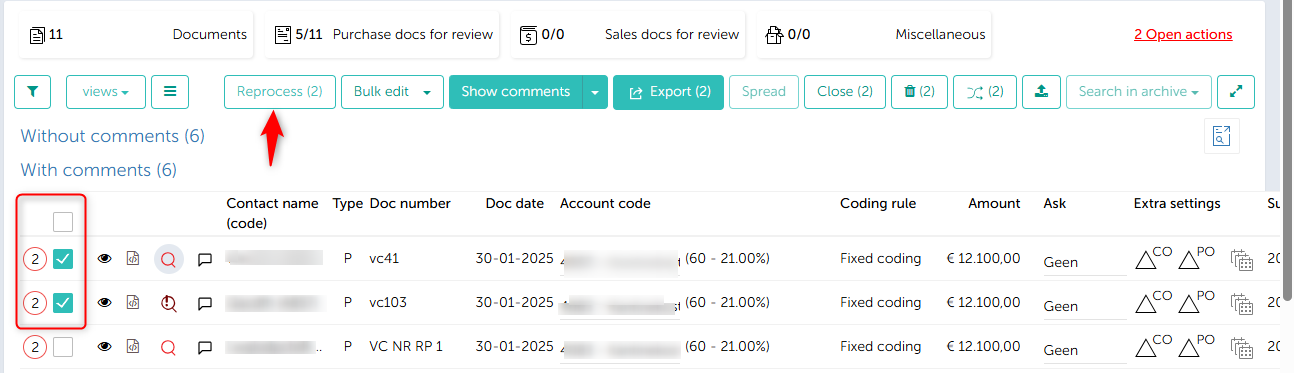
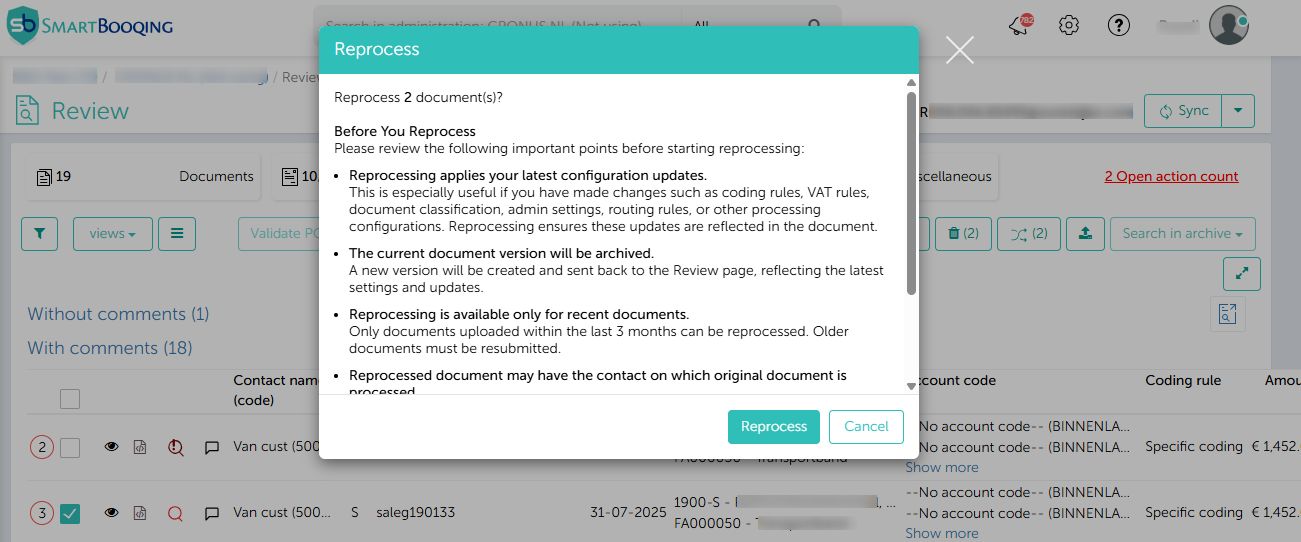
From Review page:
Make necessary changes like account code, coding rule change, etc.
Review Page – Individual/ Bulk select documents for Reprocess
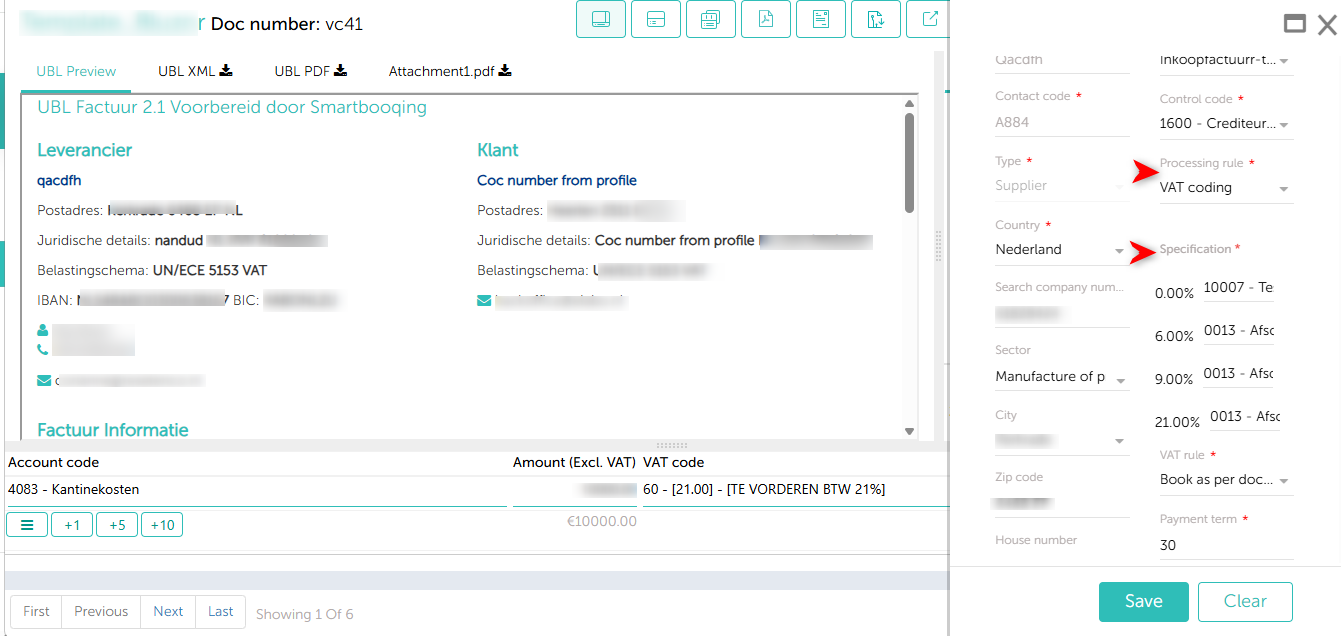
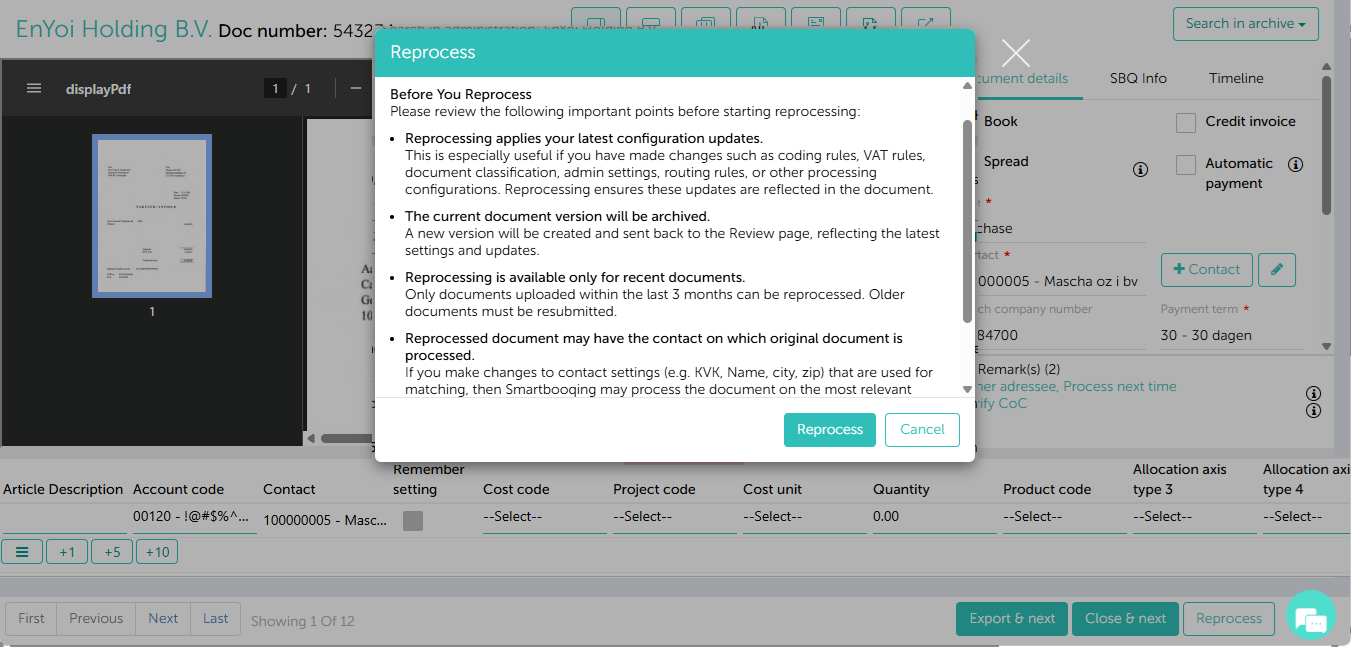
From Invoice Detail page :
Make necessary changes like account code, coding rule change, etc.
From Archive Page :
Individual/ Bulk select documents for Reprocess
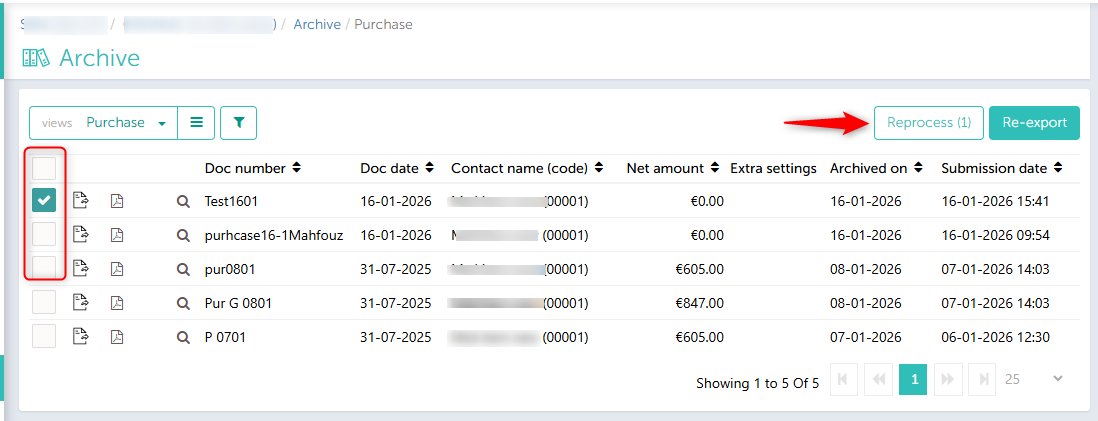
These corresponding screens will be visible depending on where you chose to reprocess the document from.
Review :
Invoice detail page –
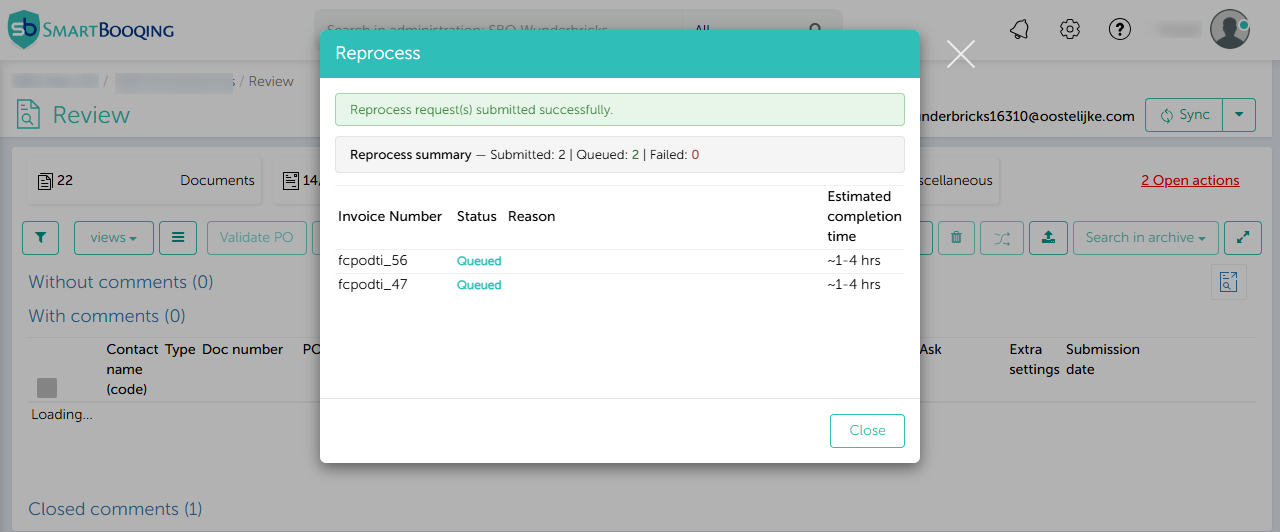
Reprocess Summary
What Happens During Reprocess
Depending on the type of change, the system behaves differently:
e.g. Coding Rule Change
Fixed → Fixed/ Article→ Summary/ Article→ Fixed coding
- Original document archived
- New document created
- Updated coding rule /settings will get applied on newly created document
- Newly created document will receive back on review page
Fixed→ Specific coding
- Document sent for re-evaluation→ Original document archived
- New document created
- Updated coding rule /settings will get applied on newly created document
- Newly created document will receive back on review page
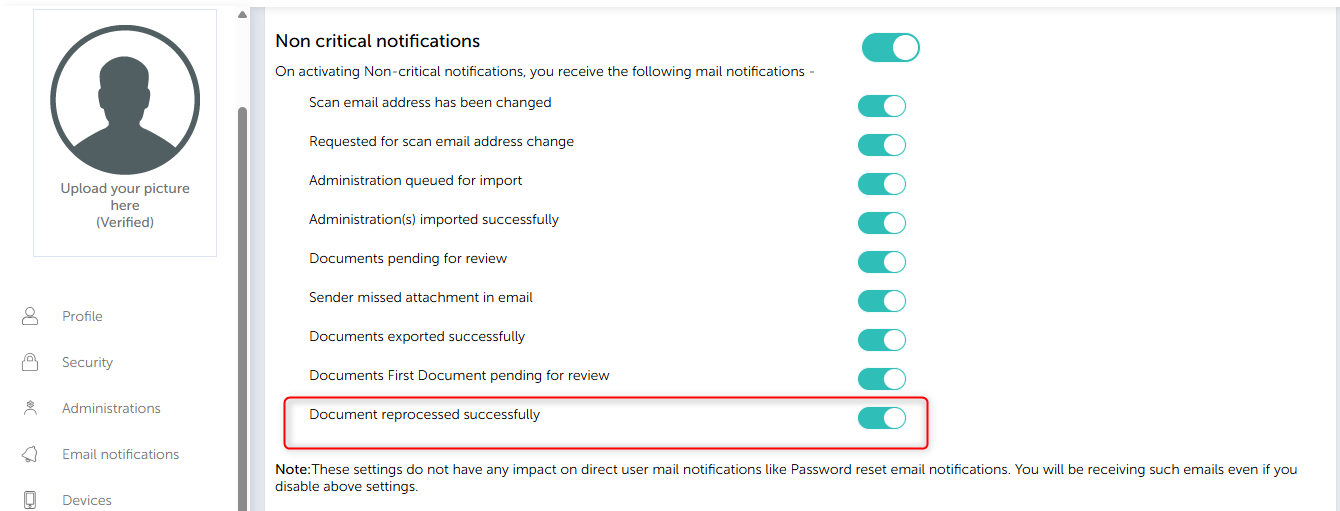
Users receive email notifications when documents are successfully reprocessed, and notifications are enabled in Smartbooqing.