SmartBooqing supports dimension linking from Microsoft Dynamics which allows users to link/unlink or delete the dimension from the dimension settings page
How to Link New dimension
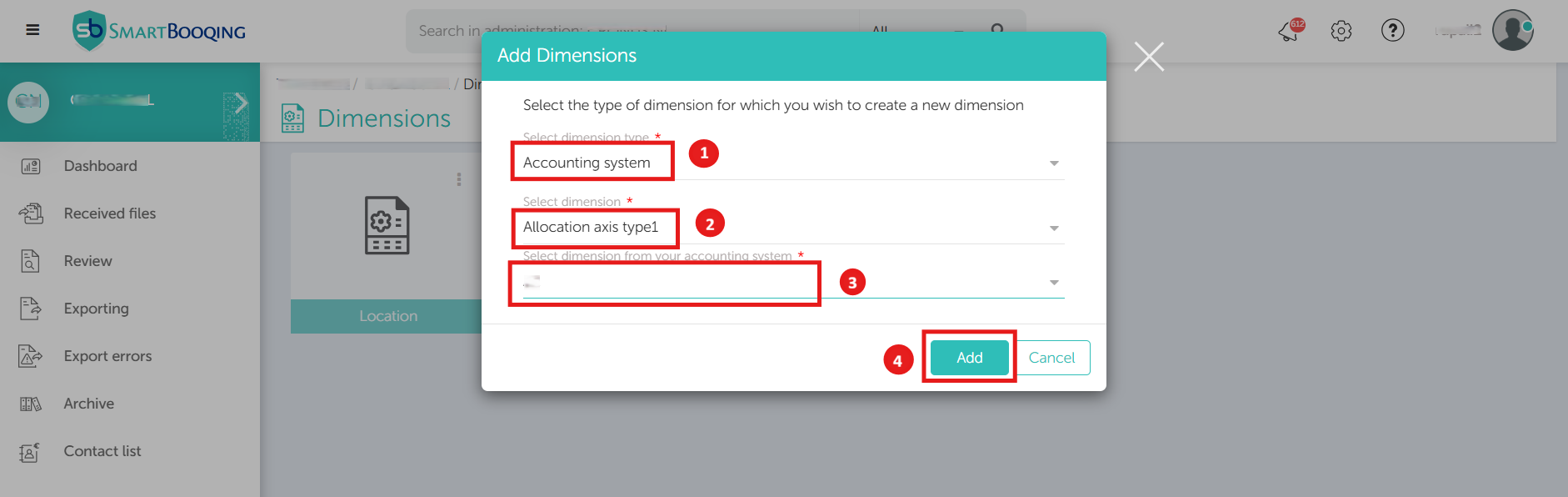
- Click on the New Select the dimension type (Accounting system) from the drop-down.
- Choose the SmartBooqing dimension you want to link with Microsoft Dynamics.
- Select the corresponding Microsoft Dynamics dimension which needs to be linked.
- Click on the Add button to complete the linking.
How to Setup Rule of the Linked Dimension
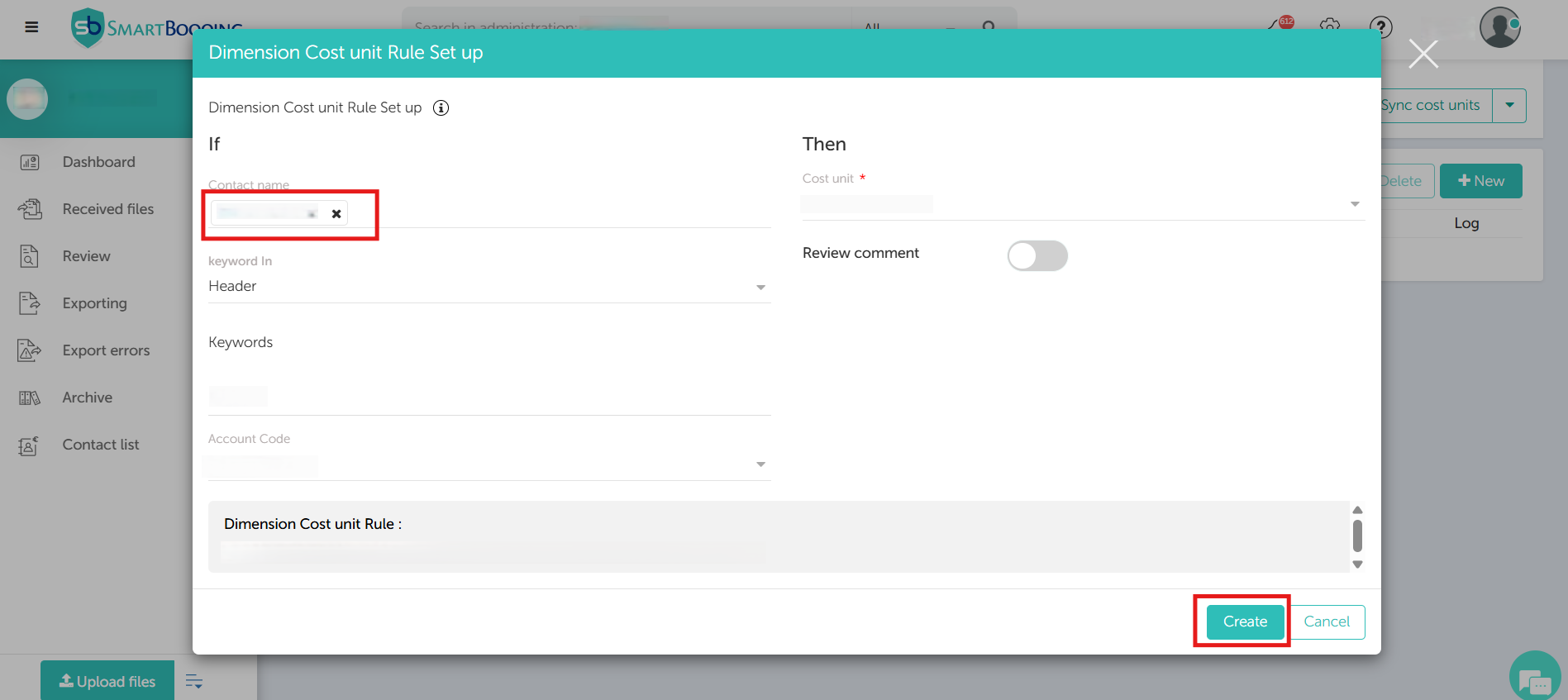
- Click on the dimension whose rules need to be configured.
- Select the required details to setup the role of Contact name, Keyword category, Keywords which need to be matched, Account code and Cost code.
- Review the summary and click Create to save the rule.
Note: If a Review Comment is enabled in the Rule page, comments will be visible on the Review page.
How to Unlink Dimension
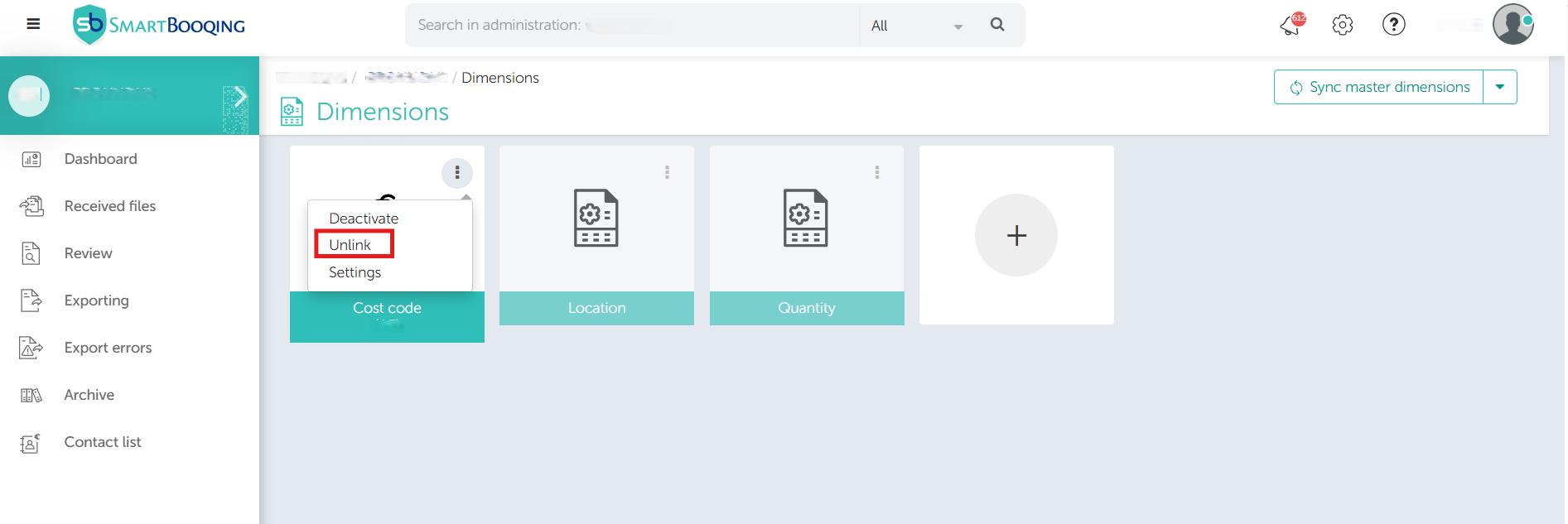
- Click on the Option menu in the dimensions.
- Select the Unlink from the options.
- Click on Sync to refresh.
- Location and Quantity dimensions cannot be unlinked as it is default.
Delete Dimension
- Users can delete the dimension from MS dynamics if not longer required.
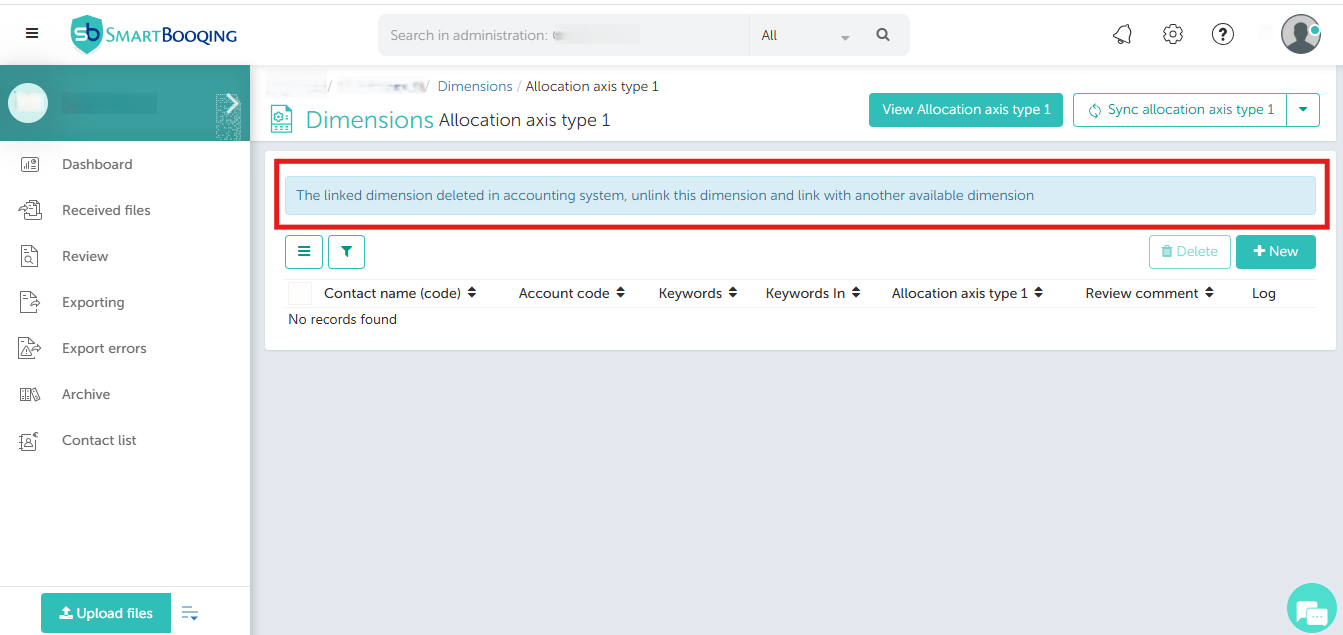
- Once deleted and synched, any rules linked to the dimension will be removed. The dimension will not be applied to future documents.
- User needs to unlink the dimension and relink with another dimension.