For the configuration between NetSuite and Smartbooqing to work properly, the location for the attachment/attachment directory must be the same in both systems.
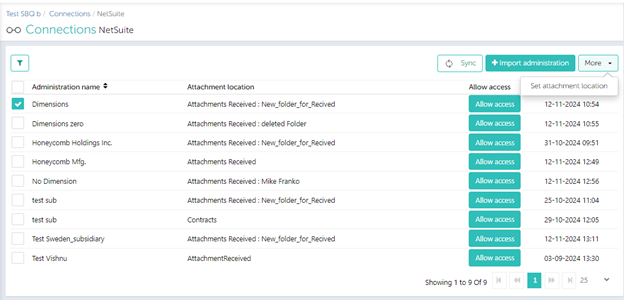
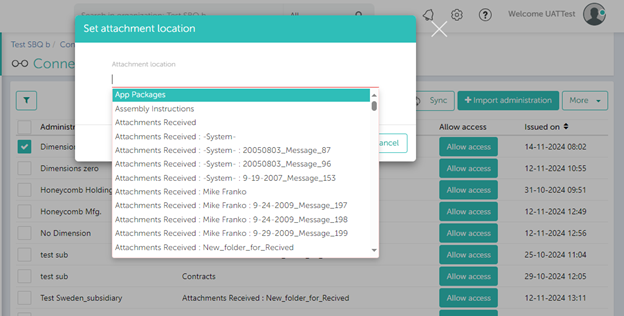
To set this in Smartbooqing,
- You can simply go to the Connections page.
- Select – NetSuite.
- Click on More, Set attachment location.
- Choose the desired location.
Images that show the path to the setting,